To build a website with AI assistance and end up with something maintainable, the work is not prompting — it is constraint design. This site is a Next.js 15 App Router project with MDX content, Cloudflare D1 and R2, and a single-operator admin panel, built with Claude Code, and the parts that took real effort were deciding what the AI was not allowed to do and making the wrong answers fail loudly. This is the complete account: the stack, the architecture the platform forced, six documented failures, and what each one became. If the tool itself is new to you, start with the complete Claude Code guide.
Key takeaways
- Architecture came from platform constraints, not from prompts: Vercel has no Workers
env.DBbinding, so all D1 access goes through the HTTP query API in one module. - The most expensive failures were silent —
next-mdx-remotev6 drops{expression}attributes with no warning, and a wrong heading anchor scrolls nowhere without erroring. - Every recurring failure became either a line in
CLAUDE.mdor a check that fails the build; the second kind is the one that actually holds. - Markdown image syntax is deliberately mapped to a build-time error rather than documented as discouraged, because a documented rule is advisory and a build error is not.
- The single most useful structural decision was one choke point per concern, so there is exactly one correct place for any given change.
What building a website with AI actually looks like
It looks like writing constraints, reading diffs, and deploying. The generation step is the fastest part and the least interesting one. On this project the ratio held consistently: AI assistance produced working scaffolding in minutes, and the remaining hours went into architecture decisions the model could not make, and into finding failures that produced no error message.
The honest framing is that a coding agent is a very fast implementer with no memory of yesterday's incident. Everything you learn has to be written down somewhere it will be read again — a context file, a check, a test — or it will be relearned at full cost. That single idea shaped more of this codebase than any framework choice.
The stack and why each piece was chosen
Every dependency here earns its place, and the list is deliberately short — ten runtime and dev packages combined, no UI library.
| Layer | Choice | Why this one |
|---|---|---|
| Framework | Next.js 15 App Router | React Server Components; static generation for content |
| Content | MDX via next-mdx-remote v6 | Files in git, no CMS, reviewable in a pull request |
| Styling | Tailwind v4 with @theme tokens | Design tokens in CSS; no component library to fight |
| Database | Cloudflare D1 | Newsletter subscribers only; SQLite semantics, cheap |
| Images | Cloudflare R2 | Editorial imagery off the repo, served through next/image |
| Hosting | Vercel | First-party Next.js support |
There is no ShadCN, no DaisyUI, and no design system package. That is a deliberate constraint rather than an aesthetic preference: a UI library gives an AI agent a large surface of plausible-looking component names to hallucinate against, and removing it means every component in the tree is one somebody wrote and can read.
The content layer is filesystem-routed with no database of posts —
content/<category>/<slug>.mdx serves at /<category>/<slug>, the filename is the URL, and
lib/mdx.ts is the only loader. That is 242 lines standing between markdown and every listing
surface on the site.
Start with constraints, not prompts
The highest-leverage file in this repository is not a component. It is CLAUDE.md, 135 lines
of constraints that a Claude Code session reads before it does anything, and almost every line
in it exists because something broke first.
It does not describe the architecture in general terms. It states rules with consequences attached:
## Never build while the dev server is running

`next dev` and `next build` share `.next`. Running a build against a live dev
server rewrites its chunk manifest and **every route starts returning 500 —
public pages included**. It looks exactly like an application bug and wastes an
hour of debugging the wrong thing.
That rule is in the file because the failure happened, and because the symptom pointed somewhere completely unrelated to the cause. A rule phrased as "be careful with builds" would not have prevented the second occurrence. A rule that names the mechanism, the symptom, and the recovery does.
The general principle: write the constraint at the point where it would have saved you, in language specific enough to check. The full method for structuring that file is in how to set up CLAUDE.md, and the failure modes to avoid are in CLAUDE.md best practices.
Let the platform decide the architecture
The most consequential design decision in this codebase was not chosen. It was forced, and recognising that is the difference between an architecture that survives deployment and one that works locally.
This site uses Cloudflare D1 but deploys to Vercel. Vercel does not run the Workers runtime, so
the native env.DB binding that every D1 tutorial uses does not exist. The only route to the
database is D1's HTTP query API. Rather than scatter that detail, it lives in exactly one
module, with the reasoning attached:
/**
 * Cloudflare D1 access layer.
 *
 * The site runs on Vercel, where the Workers runtime — and therefore the native
 * `env.DB` D1 binding — does not exist. The only way to reach D1 from here is
 * its HTTP query API, which is what this module wraps.
 *
 * **This is the single place that talks to D1.** If the site ever moves to
 * Cloudflare Workers, swapping `d1Query` for `env.DB.prepare().bind().run()` is
 * a one-file change; nothing above this layer knows the transport.
 */
The same pattern repeats twice more. The admin session module uses Web Crypto rather than
node:crypto, because middleware runs on the Edge runtime where node:crypto does not exist —
so the session code is written against the API that exists in the narrower environment. And the
R2 hostname is derived by one normaliser that both next.config.mjs and lib/images.ts
import, because next/image silently refuses any host missing from the remotePatterns
allowlist, and two copies of a hostname eventually disagree.
The rule extends one level up. Newsletter reads and writes both live in lib/newsletter.ts, so
the table's shape is described in exactly one place rather than inferred separately by each
caller — 314 lines that own the schema, the validation, and the queries together. Every query
in it binds its values as parameters; no SQL in this codebase is assembled by string
concatenation, which is a rule worth stating explicitly precisely because string-built SQL is
what a generated first draft reaches for when a query gets awkward.
Every one of these is a constraint the platform imposed and the model would not have inferred. The deployment-side detail is covered in deploying a Next.js site to Vercel.
The failures that shaped the codebase
Six failures did more to shape this project than any design document. They are listed with what each one actually cost.
1. Expression attributes vanish silently. next-mdx-remote v6 in RSC mode drops every
{expression} attribute in MDX. Writing width={1200} on a component means the component
receives undefined — no warning, no build error, just a degraded layout and a green CI run.
Every prop in every MDX file here is a string attribute: width="1200".
2. MDX does not parse HTML comments. An early draft carried a plain <!-- TODO --> comment
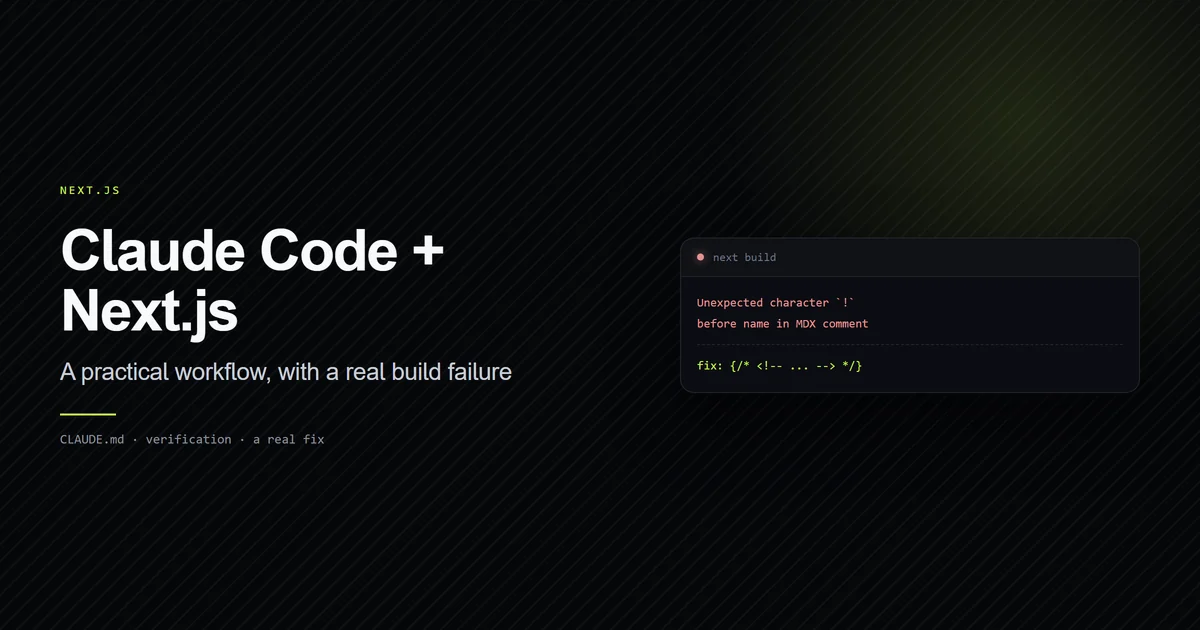
in the article body. next build failed outright with [next-mdx-remote] error compiling MDX: Unexpected character. The fix is the MDX comment form, {/* ... */}, and the failure was loud
enough to be cheap — which makes it the good kind.
3. Heading anchors strip punctuation. rehype-slug turns ## What CLAUDE.md actually does
into #what-claudemd-actually-does, not #what-claude-md-actually-does. A hand-written table
of contents entry with the intuitive spelling fails silently — the link scrolls nowhere and
nothing reports it.
4. Dev server and build share .next. Covered above. Every route returns 500 and it
presents as an application bug.
5. A stale allowlist rots without warning. The Claude Code permission allowlist in this repository has grown to 93 entries. Three still point at an absolute path under a project directory the repository no longer occupies. They match nothing, and the commands they were meant to pre-approve simply prompt again as though they had never been added.
6. Relative image URLs break social cards. Next resolves a relative openGraph.images entry
against metadataBase, so a bare R2 key shipped as a URL on the site's own domain — a 404,
because the file lives on the R2 host. Social crawlers drop relative paths outright, so the
symptom was an empty preview card rather than an error.
The pattern across all six: the expensive ones are the silent ones. A build that fails is a build that taught you something in ten seconds.
Turn every failure into a check that fails the build
This is the part that generalises, and it is the core argument of this whole approach to AI assisted web development. A rule written in a context file is advisory — the model usually follows it. A rule encoded in the build is a guarantee.
Three of the six failures above became executable checks.
The heading-anchor problem became scripts/check-anchors.mjs, 111 lines that reproduce the ID
generation exactly, using the same github-slugger version rehype-slug depends on, and exit
non-zero on a mismatch:
npm run check:anchors -- content/next-js/build-website-with-ai.mdx
# → ok   content/next-js/build-website-with-ai.mdx  (11 anchors)
# → 1/1 article(s) passed.
The markdown-image problem became a build-time error. Standard  syntax cannot
carry width and height, so it would ship an unoptimised tag that shifts layout on load. Rather
than documenting that as discouraged, the MDX component map raises a build error naming the
file and pointing at the alternative. The same component fails the build when width or
height is missing, so the layout-shift class of bug cannot silently reappear.
The expression-attribute problem became a grep in the review checklist — a weaker guardrail than the other two, and honestly the one most likely to fail, because it depends on somebody running it.
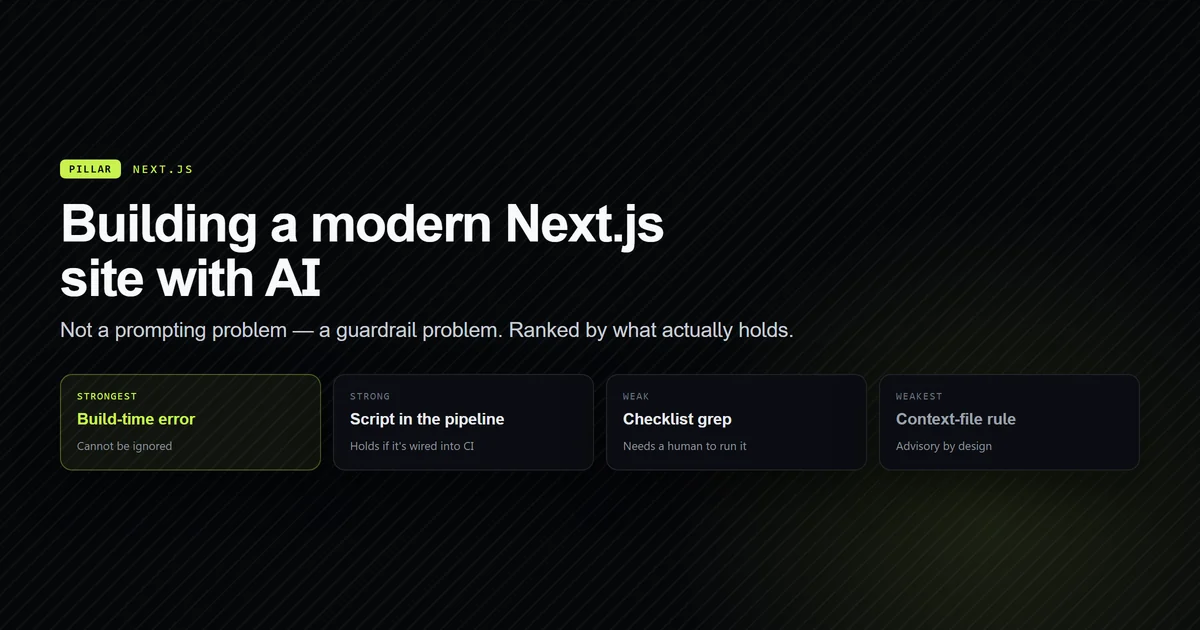
Ranked by how much they actually hold:
- Build-time error — cannot be ignored. Use wherever a check is possible.
- Automated script in the pipeline — holds if it is wired into CI.
- Checklist grep — depends on a human remembering.
- Context-file rule — advisory; the right home for judgement, the wrong home for anything checkable.
Wiring those checks into a pipeline so they run without anyone remembering is covered in connecting AI tools to your deployment pipeline.
Where AI assistance genuinely did not help
Three places, stated plainly, because a guide that claims uniform benefit is not describing real work.
Architecture under platform constraints. The D1-over-HTTP decision required knowing that
Vercel does not run the Workers runtime. That is not a code-reading problem; it is a
platform-knowledge problem, and the default answer — the env.DB binding every tutorial
shows — would have failed in production while working in every local test.
Silent failure diagnosis. For each of the silent failures above, the model was as misled as a human would be, and for the same reason: the observable behaviour pointed away from the cause. Debugging those meant reading the library source, not asking better questions.
Anything requiring first-hand history. One article on this site carries an
OPERATOR INPUT NEEDED marker where a real DNS and Search Console history belongs. That
history was not available, and it was not reconstructed, because a plausible reconstruction of
something that did not happen is the exact failure this whole approach exists to prevent.
The one layer to write by hand
Authentication is where generated code is most dangerous, because insecure auth compiles, passes type checks, and works perfectly in every test you think to write. This site's admin panel is single-operator and password-protected, and four decisions in it were made deliberately rather than accepted from a first draft.
Middleware is not the security boundary. middleware.ts handles the redirect and the
X-Robots-Tag header, but every admin page, Server Action, and route handler calls
requireAdminSession() itself. Two reasons: Next.js has had a middleware-bypass bug class, and
route handlers do not run layouts at all. Middleware-only protection is the single most common
way a Next.js admin area is left open, and it is exactly the pattern a confident first draft
produces, because it looks centralised and clean.
Session code targets the narrower runtime. lib/admin/session.ts uses Web Crypto rather
than node:crypto, because middleware runs on the Edge runtime where node:crypto does not
exist. lib/admin/auth.ts is Node-only and may use it. The split is deliberate and documented
in the context file, because the obvious import is the wrong one in one of the two files.
Expiry is read from the signed claim, never the cookie. Session expiry comes from the
signed exp claim rather than the cookie's Max-Age. A client controls how long it keeps a
cookie; it cannot forge a claim.
Credential checks do not short-circuit. Username and password are both compared, always, with the results combined afterwards. Returning early when the username misses leaks which field was wrong — and short-circuiting is precisely what a naive implementation does, because it reads as the more efficient version.
None of those four is difficult. All four are the kind of detail that is easy to accept without noticing, which is why this layer gets read line by line rather than reviewed as a diff summary.
The workflow that actually shipped
The loop that survived contact with the project, in order.
Plan before editing. For anything spanning more than two files, the session starts in plan mode so the approach is agreed before any file changes. The reasoning and the switching rule are in Claude Code plan mode.
Constrain, then generate. The context file is read first, every session. New constraints go in the moment they are learned, not at the end of the week.
Read the diff, not the summary. The summary describes intent. The diff describes what happened, and the gap between them is where the silent failures live.
Verify with commands, not confidence. npm run typecheck, npm run check:anchors,
npm run build — in that order, and never a build while the dev server is running.
Encode the failure. Anything that broke twice becomes a check. Anything that cannot be checked becomes a context rule with its mechanism and symptom spelled out.
Promote repeated procedures into skills. When a procedure gets pasted into chat repeatedly it has outgrown documentation; the mechanics are in Claude Code skills and slash commands.
The stack-specific version of this loop — what to do differently because it is Next.js — is in using Claude Code with Next.js.
Best practices for AI assisted web development
- One choke point per concern. One module for database access, one normaliser for the image hostname, one loader for frontmatter — so there is exactly one correct answer.
- Write constraints with mechanisms attached. "Never build while dev runs" plus why, plus the symptom, plus the recovery. A rule without a mechanism is forgettable.
- Prefer a build error to a documented rule. If a mistake can be detected, detect it.
- Keep the dependency list short. Fewer libraries means a smaller surface of plausible names to invent.
- Version-pin behaviour in comments.
next-mdx-remotev6 behaves this way; note the version, because the next major may not. - Never let the model reconstruct history. Mark the gap and leave it marked.
- Re-read the code before trusting the docs. In this repository the standards documents have drifted from the implementation more than once; the code is authoritative and the doc is the bug.
Common mistakes building a site with AI
Treating a green build as verification. The most expensive failure here passed the build. Type checks and compilation prove the code is well-formed, not that the prop arrived.
Writing rules the model cannot check. "Follow best practices" is unfalsifiable. "Write
width="1200", never width={1200}" is checkable by grep.
Letting the tutorial pick the architecture. The env.DB binding is correct in most D1
documentation and wrong on this deployment target. Verify the default against your platform
before building on it.
Deferring the guardrail until after the second occurrence. Each of the six failures above cost far more the first time than the check cost to write.
Adding a UI library for speed. It front-loads velocity and back-loads a large surface of component names that look real and are not.
Skipping the diff on a change that looks routine. Routine-looking changes in the wrong layer are the hardest defect class to find later, because nothing about the code is wrong except its location.
Conclusion
Build the constraints before the features. Put one choke point in front of every external system, encode every repeated failure as a check that fails the build rather than a rule somebody has to remember, and never let a green build stand in for verification. That is the whole method, and it is what makes an AI-assisted nextjs ai workflow produce a codebase you can still reason about three months later. Start with the practical Next.js workflow for the day-to-day loop, then deploy it to Vercel.
Frequently asked questions
Can you build a real website with AI assistance?
What is the biggest risk when using AI to build a website?
Should project rules go in CLAUDE.md or in code?
How long does it take to build a Next.js site this way?
Does AI assistance work better with a strict project structure?

Muhammad Kashif
Founder and editor of Devventa, covering AI coding assistants, Next.js and the modern AI development stack.