The best ai coding assistant for you is the one that runs where you already work, because every serious tool now has the same features. As of August 2026, Claude Code, GitHub Copilot, Cursor, Devin Desktop, and Cline all ship an agent, a plan mode, a project config file, and multi-step tool execution. What still separates them is where the agent is permitted to run and how each vendor meters you — two axes that a feature table cannot express. This comparison is built on those axes, with every price and limit read from the vendor's own documentation on August 1, 2026.
Key takeaways
- The tools converged on features during 2026; they still differ sharply on execution surface and billing model, which is what should decide your choice.
- GitHub Copilot Pro is the cheapest credible setup at $10/month with 1,500 AI credits; Claude, Cursor, and Devin Desktop all start at $20/month.
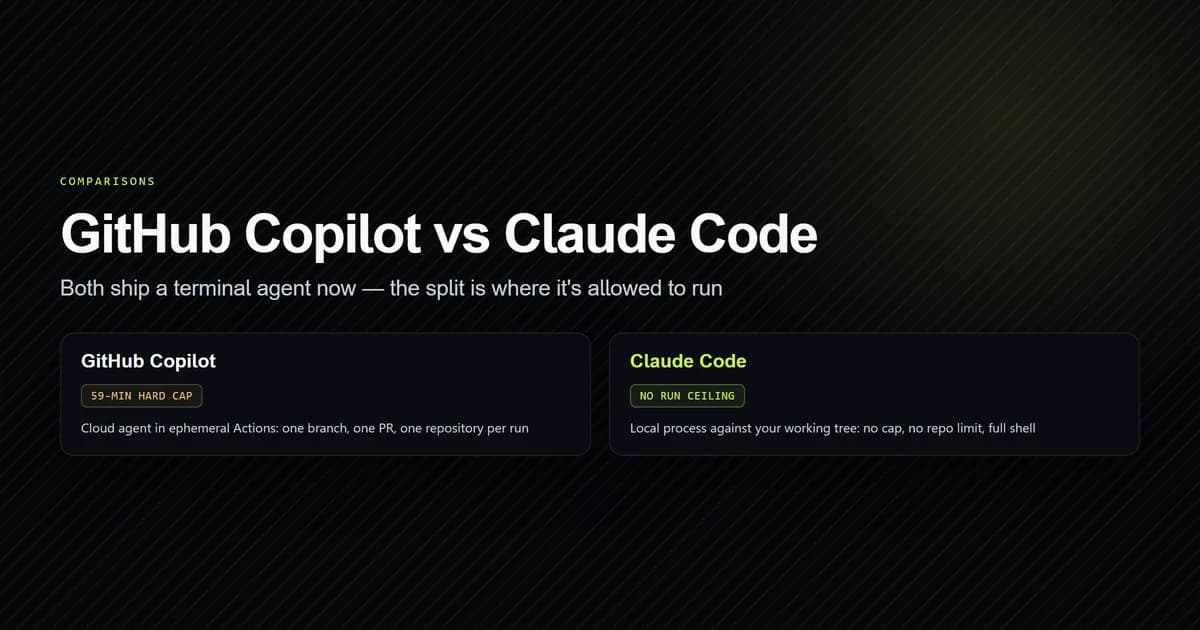
- Copilot's cloud agent carries a documented 59-minute hard cap and is limited to one branch, one pull request, and one repository per run.
- Windsurf became Devin Desktop on June 2, 2026, and windsurf.com now returns an HTTP 308 redirect to devin.ai — a large share of published comparisons are stale on this.
- Cline is the strongest open source option and is Apache-2.0, but you supply the API key and the spend cap.
The short answer
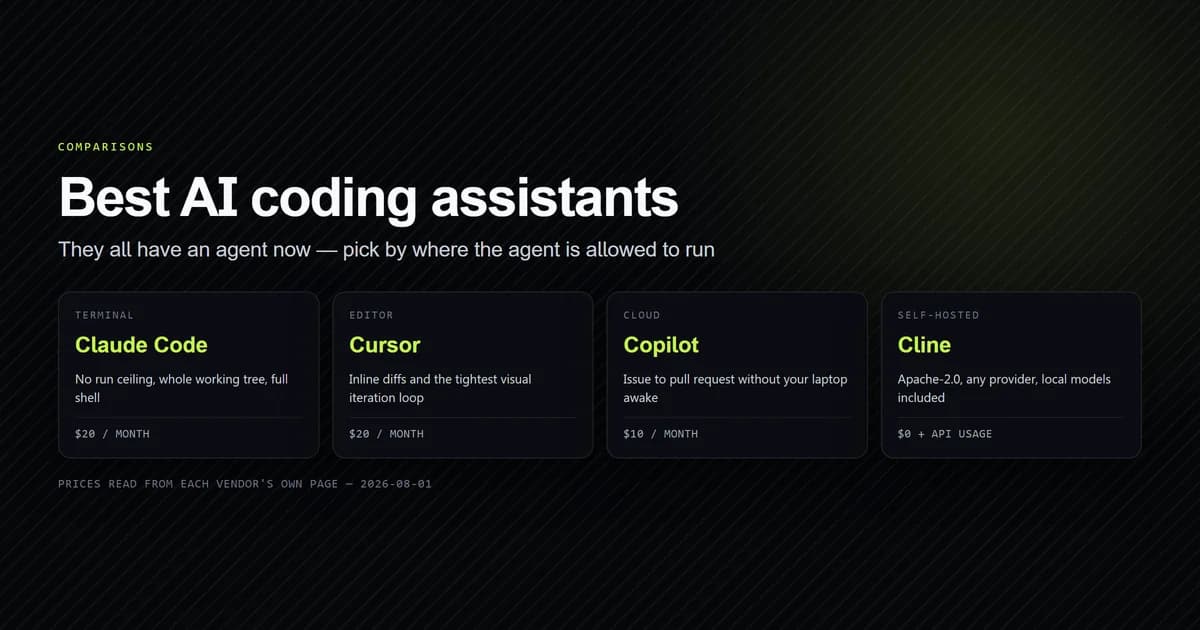
Four recommendations, one per surface, all current as of August 1, 2026.
- You live in a terminal — Claude Code, $20/month via Claude Pro. No execution ceiling, full shell, whole working tree.
- You live in an editor — Cursor, $20/month. Inline diffs, tab completion, and the tightest visual iteration loop.
- Your work is GitHub issues and pull requests — GitHub Copilot Pro, $10/month. Cheapest, and the only one where the agent is a first-party part of the platform your work already lives in.
- Your code cannot leave your network — Cline, free and Apache-2.0, pointed at a local model through Ollama or an OpenAI-compatible endpoint.
If two of those describe you, buy the cheaper one first and add the second only when you hit a wall you can name. Running two paid agents is the most common way to spend $40/month on $20/month of capability.
Why another feature table would not help you
In 2024 a feature table was a real comparison, because the products genuinely differed: one did autocomplete, one did chat, one did multi-file edits. That is over. GitHub Copilot CLI reached general availability on February 25, 2026 with plan mode bound to Shift+Tab, an autonomous autopilot mode, multi-model selection, and cross-session repository memory — the same shape as Claude Code. Cline ships a Plan/Act split with per-step approval and separate models per mode. Cursor has an agent. Devin Desktop opens on an agent command centre rather than the editor canvas.
Put those in a table with checkmarks and every row is a checkmark. The table tells you nothing, which is why so many "top ai coding tools" roundups read as interchangeable — they are comparing on the axis where the products stopped differing.
The axes that still discriminate are unglamorous and rarely tabulated: where the agent is allowed to execute, what it is allowed to touch in one run, how long it may run, and what happens to your bill when you exceed the included amount. Those are constraints rather than features, and constraints are what actually end a working session.
The framework starts with your surface
Ask one question before any other: where does your work already happen? Not where you would like it to happen, and not where a demo video happens — where you spend the hours. There are four honest answers, and each one eliminates most of the market immediately.
- Terminal. You run builds, tests, and Git from a shell. You want the agent in the same place.
- Editor. You work in VS Code or a JetBrains IDE and evaluate changes by looking at diffs inline.
- Cloud. Your work arrives as issues and leaves as pull requests, and you would rather the agent run without your laptop awake.
- Self-hosted. Your code cannot go to a third-party API, for policy or contract reasons.
Answering that question is doing 80% of the comparison work, because it is the only axis on which the products are still genuinely far apart. Answer it before you read a single benchmark score.
Terminal-first work
Recommendation: Claude Code. It runs as a process on your machine against your working tree, so the ceilings that constrain cloud agents do not exist. A four-hour session is a four-hour session. A change spanning three checked-out repositories is a matter of granting directory access. You get a full shell, per-command permission rules, and an extension surface — skills, hooks, subagents — that no competitor matches for depth. This site was built with it, and the complete Claude Code guide is where to start if the terminal agent model is new to you.
The honest costs are three. It is Anthropic-only, so model choice is not a lever you have.
Work stops when your laptop sleeps. And the per-command permission model produces an
allowlist that grows monotonically and rots silently — this repository's own
.claude/settings.local.json reached 93 entries, three of them still pinned to a directory
the project left months ago, matching nothing and warning nobody.
The runner-up is Copilot CLI, and it is a genuinely close second on price. At $10/month it is half the cost, it selects across Claude Opus 4.6, Claude Sonnet 4.6, GPT-5.3-Codex, and Gemini 3 Pro, and it has had a plan mode since February 2026. If model choice matters to you — for A/B comparison, or a compliance reason to avoid one provider — Copilot wins this surface outright. The full head-to-head is in GitHub Copilot vs Claude Code.
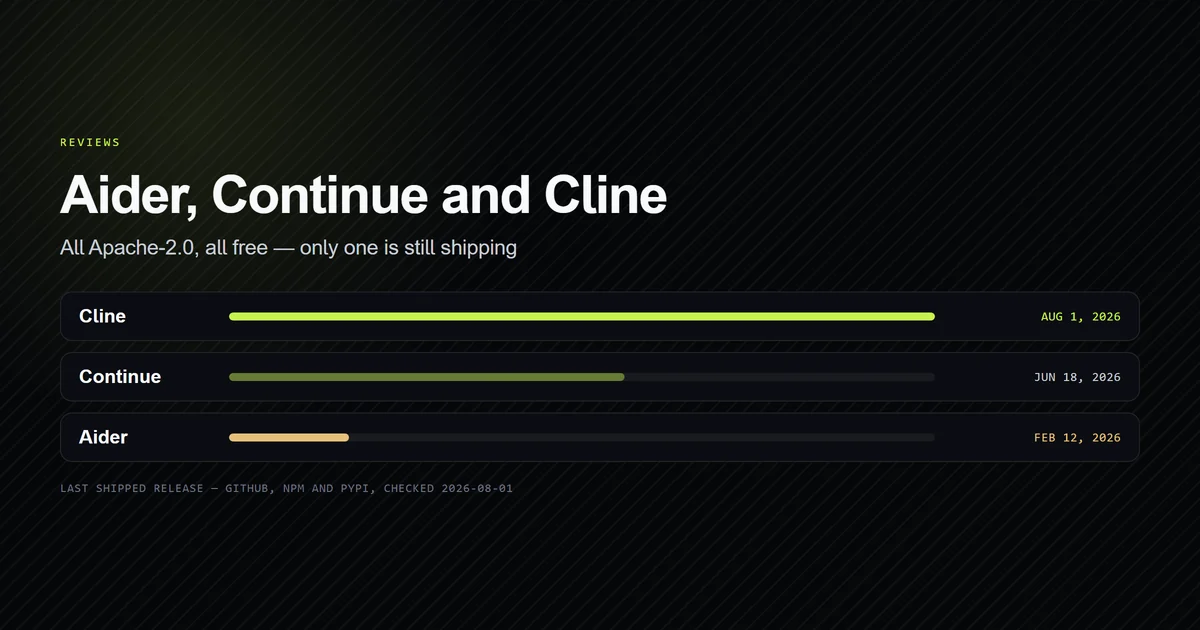
Aider is the third option and the specialist one. It is Apache-2.0, terminal-native, and built around Git: it makes a commit per change, which makes an agentic refactor reviewable as history rather than as one enormous diff. Its architect mode splits work across two models — a reasoning model proposes, a cheaper editor model writes the file edits — and its repository map narrows a large codebase "using a graph ranking algorithm, computed on a graph where each source file is a node and edges connect files which have dependencies." That is real engineering, and it is why Aider's polyglot benchmark, "225 challenging Exercism coding exercises across C++, Go, Java, JavaScript, Python, and Rust," became the number the rest of the field quotes.
The problem with Aider in 2026 is not design. It is cadence. The aider-chat package on
PyPI last shipped version 0.86.2 on February 12, 2026, the default branch's most recent
commit is dated May 22, 2026, and 1,768 issues were open when we checked on August 1, 2026.
The repository is not archived, so read that as slowed rather than abandoned — but notice
what that last commit was: a merged community pull request adding Claude Opus 4.5 to the
model list, at a point where Opus 4.6 had already shipped and was selectable inside Copilot.
For a bring-your-own-key tool, a model list that lags the models you want to buy is the
specific way this failure shows up, and it is the reason Aider is a third recommendation on
this surface rather than a first.
Editor-first work
Recommendation: Cursor. If you evaluate changes by reading them inline, a tool that puts the diff where your eyes already are beats a tool that prints it to a terminal. Cursor is $20/month on Pro, with a free Hobby tier and Teams at $40 per user per month; its pricing page expresses the higher individual tiers as multiples of Pro's limits — Pro+ at three times, Ultra at twenty times — rather than as separate feature sets. Usage works as "every plan includes a set amount of model usage," with "on-demand usage" continuing after that, "billed in arrears."
Cursor's real advantage is the tightness of the loop on visual and file-local work: UI iteration, a component you are shaping, anything where you want to see the change land rather than read about it. The terminal-versus-editor argument in full, with the workflow cases where each one wins, is in Claude Code vs Cursor.
Cline is the free alternative on this surface and a serious one. It is Apache-2.0 with 65,407 GitHub stars, it runs in VS Code and JetBrains, and its Plan/Act split is the best-designed safety model in the category: "Plan mode lets you explore and strategize without changing files," then Act "retains the full context from your planning session" and executes with approval required for every file edit and terminal command. You can configure separate models for the two modes, so switching mode switches model automatically — Aider's architect/editor idea rebuilt as an interactive toggle. It costs nothing; you pay your model provider directly.
Continue is the other open source editor option, spanning VS Code, JetBrains, and a CLI
called cn. It is Apache-2.0 at 35,263 stars and still actively developed. It also carries
a governance caveat that belongs in any honest comparison: Continue's own homepage states
"Continue was acquired by Cursor," which makes the leading open source editor extension a
subsidiary of the paid editor it was the open alternative to.
Cloud and issue-driven work
Recommendation: GitHub Copilot. If work reaches you as an issue and leaves as a pull
request, Copilot's loop is structurally shorter than anything you assemble by hand, because
the agent is a first-party part of the platform the issue already lives in. Prefix a prompt
with & and the work is delegated to a cloud agent running in an ephemeral GitHub Actions
environment. Your laptop can be closed.
The boundaries are documented plainly, and they are the reason this surface is a separate category rather than a feature of the terminal one. Maximum execution time is "59 minutes" — "a hard limit that cannot be extended." The agent works "on one branch at a time," it "can open exactly one pull request," and it "cannot make changes across multiple repositories in one run."
Read those as a specification, not a warning. A cloud agent that produces exactly one clean pull request per issue is a better fit for a team with branch protection and a review queue than a local agent with an unbounded shell. It is a worse fit for exploratory work that does not know its own shape yet. Match it to the work.
Devin Desktop is the other product in this space, and the one whose positioning changed most in 2026 — it now opens on an agent command centre for managing multiple agents rather than on an editor canvas. Pricing is Free, Pro at $20/month, Max at $200/month, and Teams at $80/month plus $40 per full developer seat, metered by quotas that "refresh automatically on a daily and weekly basis."
Self-hosted and private work
Recommendation: Cline, pointed at a local model. This is the surface where open source is not a philosophical preference but the only option that satisfies the constraint. Cline's README states that it "is not locked to a single AI provider," listing Anthropic, OpenAI, Gemini, OpenRouter, AWS Bedrock, Ollama, and "any OpenAI-compatible API" — which covers vLLM, llama.cpp's server, or an internal gateway. Aider likewise "can connect to almost any LLM, including local models."
The trade is the model, not the tool. A local model you can actually serve sits several capability tiers below a frontier API model, and agentic editing is the workload that punishes that gap hardest: the agent loops, mis-edits, and spends your time instead of your API budget. Self-hosting is correct when code cannot leave the network. It is rarely correct purely to save money, and the open source tool review goes through the maintenance signals that should decide which of the three you run.
The second axis is how you are metered
Once the surface has narrowed the field, metering narrows it again — and this is where sticker-price comparisons mislead most. There are now three distinct billing shapes in this market, and they suit genuinely different working patterns.
Seat plus credits. GitHub Copilot moved every plan to usage-based billing on June 1, 2026. Each plan includes an allowance of GitHub AI Credits, where 1 credit equals $0.01, and consumption is calculated from input, output, and cached tokens at each model's listed API rates. Code completions sit outside that meter entirely and are unlimited on paid plans.
| Copilot plan | Price | Included AI credits |
|---|---|---|
| Free | $0 | Allowance only |
| Pro | $10/month | 1,500 |
| Pro+ | $39/month | 7,000 |
| Max | $100/month | 20,000 |
Tiered usage limits. Anthropic does not publish a per-token consumer meter. Claude Free is $0, Pro is $20/month billed monthly or $17/month annually at $200 up front, and Max starts from $100/month offering "5x or 20x more usage than Pro." Every tier, including Free, lists Claude Code as included. You sit inside a tier rather than budgeting against a number.
Quotas that refresh. Devin Desktop meters daily and weekly quotas that reset automatically, with overage at API pricing. Cursor sits between models: an included amount of model usage per plan, then on-demand usage billed in arrears.
No meter at all. The Apache-2.0 tools bill you nothing and your model provider everything.
The practical rule: a seat-based subscription wins when you code most working days, and per-token billing wins when your months are uneven, because an idle month costs nothing. The break-even and the freelancer-specific version of this decision are worked through in AI coding tools for solo developers and freelancers, and the full mechanics of every vendor's meter in what AI coding assistants actually cost.
Switching costs are asymmetric
The cost of changing your mind is not symmetric between these tools, and almost nobody tells you which direction is cheap before you commit. The thing you are actually locked into is not the subscription — it is the project instruction file you spent weeks tuning.
Every tool reads a different one:
| Tool | Project rules file | Reads other tools' formats |
|---|---|---|
| Claude Code | CLAUDE.md | No |
| GitHub Copilot | .github/copilot-instructions.md | Yes — AGENTS.md, CLAUDE.md, GEMINI.md |
| Cline | .clinerules/ directory | Yes — .cursorrules, .windsurfrules, ~/.agents/AGENTS.md |
| Aider | CONVENTIONS.md | No |
| Continue | .continue/rules | No |
Read that table as a set of one-way doors. GitHub's response-customization documentation
lists agent instruction files named AGENTS.md, CLAUDE.md, or GEMINI.md alongside its
own formats, so moving from Claude Code to Copilot costs nothing — Copilot reads the file
you already have. Moving the other way costs a rewrite, because Claude Code does not read
.github/copilot-instructions.md. Cline is the most accommodating of all, picking up
Cursor's and Windsurf's formats plus a global ~/.agents/AGENTS.md, though notably not
CLAUDE.md.
The practical consequence is measurable rather than theoretical. This repository has a
135-line CLAUDE.md full of build traps specific to this stack, and none of the files the
other tools look for:
wc -l CLAUDE.md
# → 135 CLAUDE.md

ls CONVENTIONS.md AGENTS.md .clinerules .continue
# → ls: cannot access 'CONVENTIONS.md': No such file or directory
# → ls: cannot access 'AGENTS.md': No such file or directory
# → ls: cannot access '.clinerules': No such file or directory
# → ls: cannot access '.continue': No such file or directory
Trialling Copilot here would cost nothing but an install. Trialling Aider or Continue would cost an afternoon of re-authoring that context, and then leave two copies of it to keep in sync — which, in practice, means one of them silently goes stale and starts teaching the agent something that is no longer true.
Two conclusions follow. First, if you are undecided and want to keep your options open,
write your project rules in AGENTS.md rather than a tool-specific filename: Copilot reads
it directly and Cline reads its global variant, which is the widest compatibility available
today. Second, when you evaluate a tool, budget the config migration as part of the trial
rather than discovering it on day one — it is the single most reliable reason a two-week
evaluation quietly becomes a two-day one.
The landscape shifted twice in June 2026
Two changes in the same month invalidated a large share of the published comparisons in this category, and both are easy to verify.
Windsurf became Devin Desktop on June 2, 2026. Cognition's announcement is explicit that continuity was preserved — "your plan, pricing, extensions, and other features remain the same" and the editor stays "backwards-compatible with Windsurf and VSCode" — but the product name, the pricing page, and the domain all moved. The redirect is live and checkable:
curl -sI https://windsurf.com | head -1
# → HTTP/1.1 308 Permanent Redirect

curl -sI https://windsurf.com/pricing | grep -i '^date'
# → Date: Sat, 01 Aug 2026 18:34:54 GMT
Any comparison still linking you to windsurf.com for pricing was written before June and has not been re-checked since. That includes a great many pages currently ranking for ai coding tools comparison queries.
GitHub changed how Copilot bills on June 1, 2026. Premium requests, $0.04-per-request overage, and per-feature multipliers such as 13x for code review are legacy — GitHub's documentation now scopes that model to subscribers who stayed on request-based billing. Guidance written before June describes a meter most accounts are no longer on. We caught this one the hard way: it forced an in-place correction to a previously published article on this site.
AI coding tools comparison at a glance
One table, and it is deliberately not a feature matrix — every column is a constraint or a price, because those are the cells that actually differ.
| Tool | Entry price | Where it runs |
|---|---|---|
| GitHub Copilot | $10/month | Editor, CLI, and cloud (59-min cap) |
| Claude Code | $20/month | Local machine, no execution ceiling |
| Cursor | $20/month | Editor, local |
| Devin Desktop | $20/month | Editor plus agent command centre |
| Cline | $0 + API usage | Editor, local, any provider |
| Aider | $0 + API usage | Terminal, local, Git-native |
| Continue | $0 + API usage | Editor and CLI, local |
The three $20 products are not competing on price and should not be chosen on it. They are competing on surface, and the $10 product wins on price while accepting a constraint the $20 products do not have.
Top ai coding tools and who should avoid each
The most useful thing a comparison can do is tell you when its recommendation is wrong.
- Claude Code — avoid if model choice matters to you, or if you need work to continue while your machine is off. It is Anthropic-only and strictly local.
- GitHub Copilot — avoid as your only tool if your work regularly crosses repository boundaries or runs past an hour. The cloud agent's limits are hard, not advisory.
- Cursor — avoid if your day is genuinely shell-shaped. You will pay $20/month for an editor you are not looking at.
- Devin Desktop — avoid if you want a stable product surface. It changed name, default view, and product thesis inside twelve months.
- Cline — avoid if you want someone else to own the spend cap, the model choice, and the provider outage. Free software is not free of responsibility.
- Aider — avoid unless you have checked its release feed. It has not shipped a release since February 12, 2026.
- Continue — avoid if vendor independence is why you were choosing open source in the first place.
How we checked this
Every price, limit, and quotation on this page came from the vendor's own pricing page, documentation, changelog, or public distribution metadata, read on August 1, 2026. Release recency for the open source tools came from the GitHub, PyPI, and npm APIs rather than from star counts, because stars are cumulative and never fall:
curl -s https://api.github.com/repos/cline/cline/releases?per_page=1 | node -e "let d='';process.stdin.on('data',c=>d+=c).on('end',()=>{const j=JSON.parse(d);console.log(j[0].tag_name, j[0].published_at)})"
# → sdk/sdk/v0.0.68 2026-08-01T05:29:37Z

curl -s https://pypi.org/pypi/aider-chat/json | node -e "let d='';process.stdin.on('data',c=>d+=c).on('end',()=>{const j=JSON.parse(d);console.log(j.info.version, j.releases[j.info.version][0].upload_time_iso_8601)})"
# → 0.86.2 2026-02-12T00:42:52.678771Z
What this page is not. We have not run all seven tools side by side on the same task, and no claim here is a hands-on quality verdict. The first-hand experience behind it is with Claude Code, which built this site — a one-person Next.js 15 project, 146 tracked files and 8,749 lines of application code, with fourteen articles shipped across eight working days between July 22 and August 1, 2026. For the other six, this page reports what each vendor documents and what its distribution channels show, which is enough to compare constraints and prices honestly and not enough to rank output quality. Where we would be guessing, we have left the question open rather than filled it.
Common mistakes choosing a tool
- Comparing on features. They converged in 2026. Every serious tool has an agent, a plan mode, and a config file; comparing checkmarks produces a tie.
- Reading a 2025 comparison as current. Copilot's billing changed June 1, 2026 and Windsurf became Devin Desktop June 2, 2026. Anything older is describing a different market.
- Comparing $10 to $20 as if they buy the same thing. Copilot's seat carries a token meter that can be exceeded; Claude's tiers carry usage limits instead. The floor is not the ceiling in either case.
- Treating GitHub stars as a maintenance signal. Aider has 47,862 and has not shipped a release in five months. Check the release feed, not the star count.
- Buying two paid agents. The overlap is near total. Pick one, learn it properly.
- Ignoring the execution ceiling until it bites. The 59-minute cloud-agent cap is documented as a hard limit that cannot be extended, and it ends long runs without warning.
- Assuming your config transfers. Copilot reads
CLAUDE.md; Cline, Aider, and Continue each use their own format and none reads it. Setting up a CLAUDE.md configuration is portable in exactly one direction.
Conclusion
Pick by surface, then check the meter. Terminal work goes to Claude Code at $20/month, or to Copilot CLI at $10 if model choice matters more than an unbounded session. Editor work goes to Cursor at $20, or to Cline for free if you will supply your own key. Issue-driven work on GitHub goes to Copilot Pro, whose cloud agent is the only one that runs without your laptop — inside one repository, one branch, one pull request, and 59 minutes. Private work goes to Cline against a local model. Buy one, not two, and re-read the vendor's pricing page before your next renewal — this market re-priced three times in the first half of 2026 and will do it again. If you are starting from nothing, the free tiers will tell you more about your own usage than any comparison can.
Frequently asked questions
What is the best AI coding assistant in 2026?
Is Cursor or Claude Code better?
What is the cheapest good AI coding assistant?
Which AI coding assistant is best for large codebases?
What happened to Windsurf?
Are open source AI coding assistants good enough?

Muhammad Kashif
Founder and editor of Devventa, covering AI coding assistants, Next.js and the modern AI development stack.